
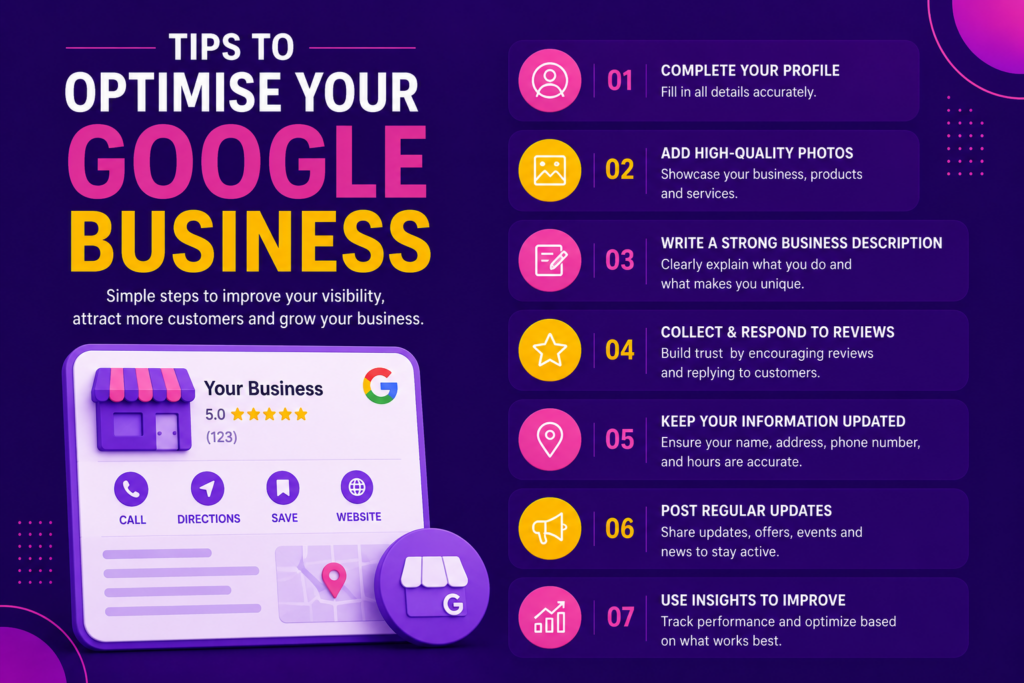
In today’s digital marketplace, having a strong online presence is essential for attracting local customers and growing your business. One of the most effective tools available for local businesses is a Google Business Profile (GBP). Formerly known as Google My Business, this free platform helps businesses appear in Google Search and Google Maps, making it easier for potential customers to find and connect with them.
A well-optimized Google Business Profile can significantly increase your visibility, drive more website traffic, generate leads, and boost customer trust. Whether you run a local store, service-based business, or online company serving a specific area, optimizing your profile can help you stand out from competitors.
In this guide, we’ll explore the best tips to optimize your Google Business Profile and maximize its potential for business growth.
Why Google Business Profile Matters
When customers search for products or services near them, Google often displays local business listings before traditional website results. A complete and optimized profile helps your business appear in these local searches.
Benefits of an Optimized Google Business Profile:
- Increased online visibility.
- Higher local search rankings.
- More website visits.
- Increased phone calls and inquiries.
- Better customer trust and credibility.
- More foot traffic for physical locations.
Businesses with optimized profiles are more likely to attract and convert local customers.
1. Complete Every Section of Your Profile
One of the most important steps is ensuring your profile is fully completed. Google rewards businesses that provide accurate and detailed information.
Information to Include:
- Business Name
- Business Category
- Address
- Phone Number
- Website URL
- Business Hours
- Services
- Products
- Business Description
Why It Matters:
A complete profile helps Google better understand your business and increases your chances of appearing in relevant searches.
2. Choose the Right Business Categories
Selecting the correct business category is crucial for local SEO.
Your primary category tells Google what your business does and helps determine when your profile appears in search results.
Tips:
- Choose the most accurate primary category.
- Add relevant secondary categories.
- Avoid unrelated categories.
- Update categories if your services change.
Example:
A digital marketing agency may choose:
- Primary Category: Digital Marketing Service
- Secondary Categories: Marketing Agency, Advertising Agency, SEO Service
Choosing accurate categories improves search relevance and visibility.
3. Write a Keyword-Rich Business Description
Your business description gives potential customers an overview of your products, services, and expertise.
Best Practices:
- Clearly explain your services.
- Include relevant local keywords.
- Highlight your unique selling points.
- Keep it professional and informative.
Example:
“We are a professional digital marketing agency specializing in SEO, social media marketing, Google Ads, website development, and online branding solutions. Our goal is to help businesses increase their online visibility, generate leads, and achieve sustainable growth.”
Benefits:
- Improves customer understanding.
- Supports local SEO efforts.
- Enhances profile engagement.
4. Add High-Quality Photos
Photos play a major role in attracting potential customers.
Businesses with photos often receive more clicks, calls, and direction requests than those without visual content.
Upload:
- Business Logo
- Cover Photo
- Office Photos
- Team Photos
- Product Images
- Service Images
- Customer Experience Photos
Benefits:
- Builds trust.
- Improves engagement.
- Makes your business appear more professional.
Keep photos updated regularly to maintain an active profile.
5. Encourage Customer Reviews
Customer reviews are one of the strongest ranking factors for local search results.
Positive reviews not only improve visibility but also influence purchasing decisions.
How to Get More Reviews:
- Ask satisfied customers.
- Send follow-up emails.
- Share review links.
- Request feedback after service completion.
Benefits:
- Improved credibility.
- Better local rankings.
- Increased customer trust.
- Higher conversion rates.
The more authentic positive reviews you receive, the stronger your online reputation becomes.
6. Respond to Every Review
Many businesses focus on collecting reviews but forget to respond to them.
Replying to reviews shows that you value customer feedback and care about customer satisfaction.
Best Practices:
- Thank customers for positive reviews.
- Address concerns professionally.
- Respond promptly.
- Maintain a friendly tone.
Benefits:
- Strengthens customer relationships.
- Improves brand reputation.
- Demonstrates professionalism.
Active engagement can positively influence future customers.
7. Keep Business Information Updated
Nothing frustrates customers more than incorrect information.
Regularly review your profile to ensure all details remain accurate.
Check:
- Business hours.
- Contact information.
- Website links.
- Service offerings.
- Special holiday hours.
Benefits:
- Improved customer experience.
- Reduced confusion.
- Higher trust levels.
Accurate information helps customers confidently choose your business.
8. Use Google Posts Regularly
Google Posts allow businesses to share updates directly on their profile.
You can publish:
- Promotions
- Blog Articles
- Company News
- Events
- Product Launches
- Special Offers
Benefits:
- Keeps your profile active.
- Encourages customer engagement.
- Increases profile visibility.
- Drives website traffic.
Posting consistently signals that your business is active and engaged.
9. Add Products and Services
Many businesses overlook the Products and Services section.
Adding detailed information helps customers understand exactly what you offer.
Include:
- Service names.
- Descriptions.
- Pricing (if applicable).
- Product images.
Benefits:
- Better customer understanding.
- Increased inquiries.
- Improved local search relevance.
The more information you provide, the easier it becomes for customers to choose your business.
10. Utilize the Questions & Answers Section
The Q&A section allows potential customers to ask questions directly on your profile.
Common Questions:
- What services do you provide?
- What are your business hours?
- Do you offer consultations?
- What areas do you serve?
Tips:
- Monitor questions regularly.
- Provide clear answers.
- Add frequently asked questions yourself.
Benefits:
- Improves customer experience.
- Reduces confusion.
- Increases engagement.
11. Enable Messaging
Google Business Profile offers a messaging feature that allows customers to contact your business directly.
Benefits:
- Faster communication.
- More lead opportunities.
- Better customer support.
- Increased customer satisfaction.
Responding quickly can improve conversion rates and customer trust.
12. Monitor Insights and Performance
Google Business Profile provides valuable analytics that help you understand customer behavior.
Key Metrics:
- Profile views.
- Website clicks.
- Phone calls.
- Direction requests.
- Search queries.
Benefits:
- Better marketing decisions.
- Improved optimization strategies.
- Increased return on investment.
Regular analysis helps identify opportunities for growth and improvement.
Common Google Business Profile Mistakes to Avoid
Avoid these common errors that can negatively impact your visibility:
❌ Incomplete profile information
❌ Incorrect contact details
❌ Ignoring customer reviews
❌ Using low-quality images
❌ Inconsistent business information across platforms
❌ Neglecting profile updates
❌ Keyword stuffing in descriptions
❌ Failing to post regularly
Maintaining an accurate and professional profile is key to long-term success.
Conclusion
A well-optimized Google Business Profile is one of the most powerful tools for improving local visibility and attracting potential customers. By completing your profile, selecting the right categories, adding quality photos, collecting reviews, posting updates, and monitoring performance, you can significantly improve your local search presence.
As competition continues to grow online, businesses that actively manage and optimize their Google Business Profile gain a clear advantage in attracting customers and building trust.
Investing time in optimizing your Google Business Profile today can lead to more website traffic, increased inquiries, stronger customer relationships, and sustainable business growth in the future.Tips to Optimize Your Google Business Profile
In today’s digital marketplace, having a strong online presence is essential for attracting local customers and growing your business. One of the most effective tools available for local businesses is a Google Business Profile (GBP). Formerly known as Google My Business, this free platform helps businesses appear in Google Search and Google Maps, making it easier for potential customers to find and connect with them.
A well-optimized Google Business Profile can significantly increase your visibility, drive more website traffic, generate leads, and boost customer trust. Whether you run a local store, service-based business, or online company serving a specific area, optimizing your profile can help you stand out from competitors.
In this guide, we’ll explore the best tips to optimize your Google Business Profile and maximize its potential for business growth.